Shopify Now Connects Directly to ChatGPT and Claude. Here’s What Operators Need to Know.
TL;DR
- Shopify shipped native connectors for ChatGPT and Claude built on the Model Context Protocol (MCP), giving AI assistants direct access to your store data.
- The connector exposes 25+ tools across read operations (orders, products, customers, inventory, analytics) and write operations (create products, update prices, adjust inventory, create discounts).
- Permissions are coarse: it’s all-or-nothing. Merchants cannot scope what the AI can see or do without uninstalling the connector entirely.
- AI accuracy is the merchant’s problem. Shopify’s docs explicitly state that operators are responsible for reviewing every action before confirming it.
- A different model is worth considering: instead of asking AI questions and hoping it picks the right ones, run a proactive layer that checks 40+ signals every night and surfaces what actually matters. That is what Karbon Analytics does.
What Shopify Just Shipped
In the last few weeks Shopify quietly rolled out something most merchants are still figuring out: native connectors that let ChatGPT and Claude talk directly to a Shopify store. Not via a third-party plugin, not via a Zapier-style bridge, not through a custom Apps Script. Native, first-party, install-it-in-the-AI-app-and-go.
The mechanism is the Model Context Protocol (MCP), an open standard for letting AI assistants connect to external systems. Shopify has implemented an MCP server that exposes a defined set of tools. The AI assistant (ChatGPT or Claude) can call those tools on your behalf, read the responses, and decide what to do next: ask a follow-up question, summarize a finding, or in some cases take an action on the live store.
You install it once from the ChatGPT app directory or Claude’s Connectors directory, authorize it against your Shopify store, and from then on you can open a chat and say "how many orders did I have yesterday, broken down by referral source" and get an answer pulled live from your store data.
This is a meaningful shift. For most of Shopify’s history, asking your store a non-trivial question meant exporting CSVs or learning Liquid or buying an analytics tool. Now it means typing a sentence into a chat window. That is not nothing.
The Full Capability List
The connector ships with more than 25 individual tools, grouped into two families: things the AI can read, and things the AI can do. The read surface is broad. The write surface is narrower but consequential.
Read operations (what the AI can see)
- Search and retrieve products across your catalog
- Get general shop information (currency, time zone, plan, domain)
- List and retrieve orders, with filters by date, product, or status
- Browse customer details and per-customer order history
- Pull sales analytics and store performance reports
- View product and collection performance over arbitrary time windows
- Check inventory levels across multiple locations
Write operations (what the AI can do)
- Create new products on the store
- Update existing product prices
- Adjust inventory levels
- Create discount codes
- Filter and tag orders
Every one of these runs against your live production store. There is no preview environment, no dry-run flag, no staging buffer. When the AI says "I’ll update that price for you," the price changes on the real product the next time a customer loads the page.
How the Connector Works
Behind the scenes the flow is simple. You type a natural-language prompt. The AI parses it, decides which MCP tool to call, formats the request, and sends it to Shopify’s API. Shopify executes the call against your live store data, returns the result, and the AI interprets the response back into prose for you.
There is no SQL, no JSON, no exporting. The friction that used to exist between "I have a question about my store" and "I have an answer" collapses into one chat message. For most operational questions ("what were my top sellers last week," "which orders are still unfulfilled from May," "did revenue from email drop this month") the answer comes back in seconds.
For the write operations, the AI asks for your confirmation before each action. You can say "go ahead" and it executes. Whether you read what you confirmed carefully is your problem.
What’s Genuinely Useful
The honest case for using this connector is real. Three use cases stand out where it earns its keep.
Ad-hoc questions you used to never get answered. Most operators have a long mental list of "I wonder if..." questions that never get investigated because the friction of getting the answer is too high. ChatGPT or Claude with a Shopify connector turns that list from "I’ll get to it" into "I’ll answer it now." That alone is valuable.
Cross-product or cross-customer pattern questions. "Of the customers who bought product A, what percentage also bought product B within ninety days?" is a real question that previously required a BI tool or a SQL query. With the connector, it is a sentence.
Drafting work, not finishing it. Creating a starter set of products, drafting discount campaigns, generating filter tags. These are tasks where AI is genuinely useful as a first-pass collaborator, and where a human reviewing the output before it ships is reasonable.
If your use of the connector is mostly one of these three, you will get value out of it.
What Every Operator Should Watch For
The launch has been widely framed as a productivity upgrade. It is. It is also a category of risk that most Shopify merchants are not used to thinking about. Six things every operator should be honest with themselves about before letting an AI agent run loose against their store.
1. The AI takes real actions on a real store. There is no sandbox. When ChatGPT confirms a price update and you say "yes," that price changes for the next visitor. Mistakes are not theoretical. A wrong decimal place on a hero SKU, a discount code that applies to the wrong collection, an inventory adjustment that ignores a backorder convention. Every one of these has happened to merchants doing the same operations by hand, and AI does not have the context that a person doing it manually accumulates over years.
2. Permissions are coarse. The connector authorizes against your store in a three-step flow and grants the AI access to the full set of tools. You cannot grant read-only access. You cannot restrict it to specific resources. You cannot scope it to a single staff member or a single store in a multi-store setup. It is install-or-uninstall, and once it is installed, anyone with access to that AI chat can ask the AI to do anything in the tool list. Shopify’s docs are explicit: "merchants cannot reduce access scope without uninstalling entirely."
3. Accuracy is the merchant’s problem. Shopify’s own guidance on the connector is unambiguous. "Merchants are responsible for reviewing any information or action the AI tool takes before confirming its accuracy." That means hallucinations, off-by-one errors, misread filter conditions, wrong product IDs, and confused time zones are your problem to catch. If the AI tells you "you had 142 orders yesterday" and the real number is 124, the AI is not on the hook. You are.
4. Data quality issues get amplified, not solved. If your catalog has inconsistent product titles, missing metafields, broken variant SKUs, or unclear collection logic, the connector exposes those issues to the AI. The AI will guess. Its guesses will be confident and they will sound right. Most of the time they will be close. Some of the time they will be wrong in ways that are expensive.
5. Your data leaves Shopify. Once a tool call returns data to the AI assistant, that data is in OpenAI or Anthropic’s context. Whether it is retained, logged, used for training, or visible to support staff is governed by their privacy policies, not Shopify’s. For most merchants this is a manageable risk. For some (high-value B2B accounts, regulated industries, customer data subject to GDPR) it is a real compliance question that needs an answer before turning the connector on.
6. The complex stuff is still out of scope. Multi-condition promotional logic, custom fulfillment rules, custom checkout flows, anything that lives outside Shopify’s standard data model — the connector cannot touch any of it. That sounds like a small caveat but for many $1M-$20M brands it is most of the work. The AI will happily reason about your store as if those rules do not exist.
None of this is a reason not to use the connector. It is a reason to use it deliberately. Treat it like a junior employee who started this week: capable, fast, willing, and on the line for nothing they break. Review every action before confirming. Test write operations on a non-critical product before letting them near a hero SKU. Audit chat logs for what the AI actually did versus what it claimed it did.
The Other Model: Proactive AI
The ChatGPT and Claude connectors invert the relationship between operator and AI: the operator must know what question to ask. That works when you have a specific question. It does not work for the case most operators are actually in, which is "something might be wrong and I do not know what it is."
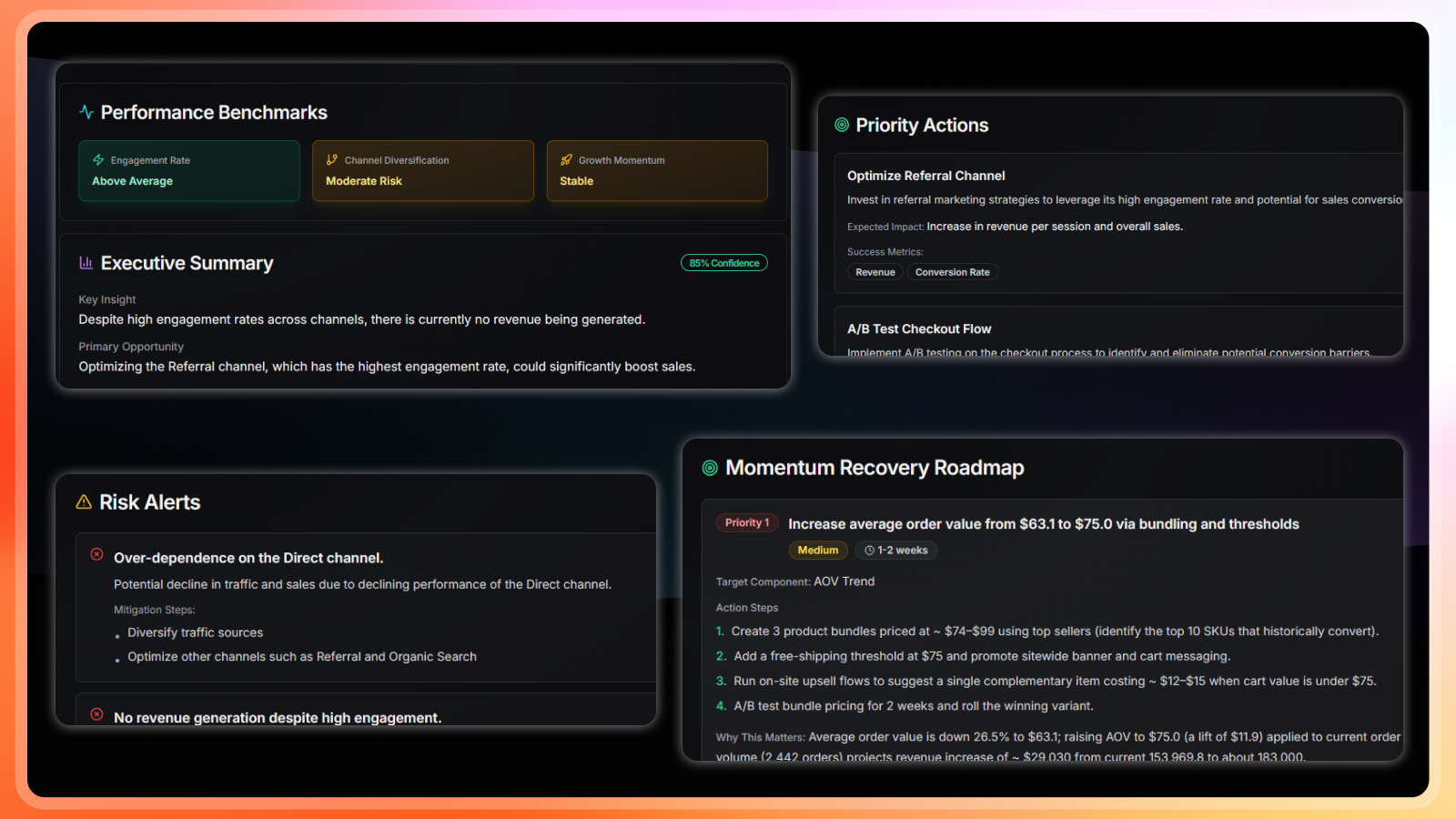
Karbon Analytics takes a different approach. Instead of waiting for you to ask, the platform runs 40+ proactive detectors against your store every night: revenue cliffs, ROAS drops below breakeven, stockout risks on top sellers, refund spikes, wasted ad spend, scaling opportunities, checkout conversion drops, and more. By the time you open your morning brief, the questions worth asking have already been asked, the answers have already been pulled from a unified data model across Shopify, Meta Ads, Google Ads, GA4, and Klaviyo, and the findings have already been ranked by business impact. You do not need to know what to prompt. You need to read three lines and act on the one that matters.
The ChatGPT and Claude connectors are a query layer. Karbon Analytics Daily Signals is a detection layer that runs without prompting. Both have their place. We just think the second one catches the things you would not have thought to ask.
Bottom Line
Shopify’s ChatGPT and Claude connectors are a genuine productivity unlock for operators who know what they want to ask. They are also a category of operational risk merchants have not historically had to manage: an autonomous agent with write access to a live production store and no permission boundary smaller than "all or nothing."
Use them. Just treat the write operations the same way you would treat any new staff member with admin access to your Shopify backend on day one: with a careful eye, a habit of double-checking, and the understanding that the accountability for whatever they do is still yours.
And if you want a layer that asks the questions you would not have thought to ask in the first place, start a Karbon Analytics free trial. Connect your store and your ad accounts. Forty-plus detectors are already running by tomorrow morning.
See proactive AI in action
Daily Signals runs 40+ checks against your store every night and emails you the top findings with suggested next steps. No prompting required.
Keep reading