Shopify Reporting: Why Stores Start Looking, and the 5 Paths They Take
TL;DR
- Shopify stores usually start looking for a reporting setup in one of three situations: when things break, when they want to grow, or when growth itself creates a data mess.
- There are five common paths, cheapest to priciest: dashboard templates, Shopify apps, freelancers and agencies, a full in-house DIY data stack, and doing nothing.
- Doing nothing costs $0 upfront and is almost always the most expensive choice over time, because flying blind compounds.
- Full DIY (data team, ETL, Snowflake/BigQuery, dbt) can deliver real value, but the payoff depends entirely on execution, and a hire-buy-wait approach can burn six figures and six months.
- The honest rule: do not fly blind, start with the cheapest path that gives you real visibility, and only build a full internal stack if nothing else delivers.
Almost every Shopify store goes looking for a reporting setup at some point. Few plan for it. It usually starts as a reaction, a moment where the founder or operator realizes they cannot see what is actually happening in the business, and the decisions they are making are guesses dressed up as instinct.
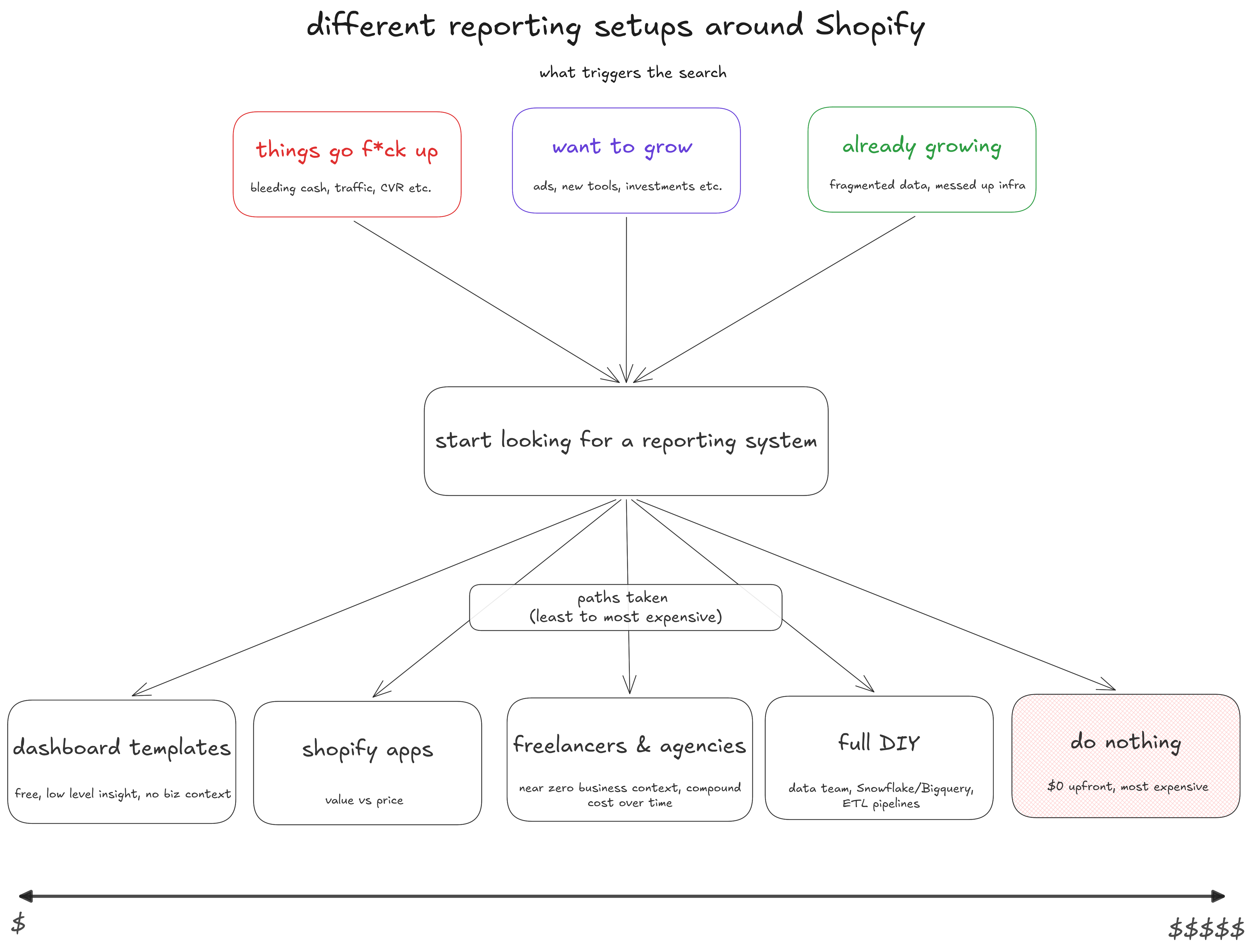
Having watched a lot of DTC Shopify brands hit this point, the pattern is consistent: there are three situations that trigger the search, and five paths people take once they start. Here is the honest version of each, and how to think about which one is right for you.
When Shopify Stores Start Looking
The trigger almost always falls into one of three buckets.
1. When things break
The business is bleeding and the founder feels it. Cash flow is under pressure, traffic has cratered, conversion rate is near the floor, and they need to find the bleeding point fast. This is usually the moment someone finally understands what a "data-driven decision" actually means, and why it matters.
2. When they want to grow
Spend is going up. They are putting more into ads, adding new tools, connecting more apps to the store, or raising investment to join a bigger portfolio. Suddenly every dollar needs to be accountable, and the gut-feel dashboard does not cut it anymore.
3. When growth brings a mess
Growth fragments the data. Answering one simple question takes five internal messages and a tour through Meta, GA4, Shopify, and Klaviyo. There are CSV exports everywhere and no real analytics infrastructure underneath any of it. The store is bigger, but visibility is worse than it was at half the size.
The Five Paths, Cheapest to Priciest
Once a store starts looking, it tends to walk down one of five paths. They are ordered here from least to most expensive, though, as you will see, the cheapest-looking option is often the costliest.
1. Dashboard templates
There are free templates online, Looker Studio dashboards and the like. Useful in theory, but the insight rarely goes beyond the surface: you mostly see the same metrics already sitting in your Shopify dashboard, with no real business context layered on top.
2. Shopify apps
The Shopify App Store has plenty of analytics apps that connect to your store and produce reports. It is worth exploring a few to see whether one delivers value inside your budget. The usual sticking points are some mix of value, complexity, and price.
3. Freelancers and agencies
Hire someone on Upwork or Fiverr, or bring on an agency. Some will automate your data exports; others will build a dashboard in Looker Studio, Power BI, or similar. Two problems tend to follow: their familiarity with your business is near zero, and maintaining or updating the setup gets expensive over time.
4. Full DIY
Usually a medium-to-large store, often post-investment, going all in: hire a data engineer and analyst, build ETL pipelines, define business rules, stand up Snowflake, BigQuery, dbt, and Looker. This path can genuinely create value over time, but the return depends entirely on execution. A large brand that takes a hire-buy-wait approach can end up exactly where it started, a few hundred thousand dollars lighter and three to six months behind.
5. Doing nothing
The bonus path: zero dollars upfront, and the most expensive of them all. Whatever stage you are at, driving the business blind is the costliest decision in the long run, even though it looks like the cheapest one today.
What to Do, and What Not to Do
Do not fly blind. That much is certain. You need visibility, you need to know what is working and what is not, and you need it before the next big spend decision, not after.
Then identify your situation honestly with one question: do you know what you do not know, or do you not know anything yet? If it is the first, good, you can pick whichever path fits and test it. If it is the second, start with free trials, explore a few apps, and spend some time learning how ecommerce analytics actually works and how it fits your workflow as you grow your Shopify store.
And only commit to a full DIY stack if nothing else delivers. It is the path with the highest ceiling and the highest cost of getting it wrong.
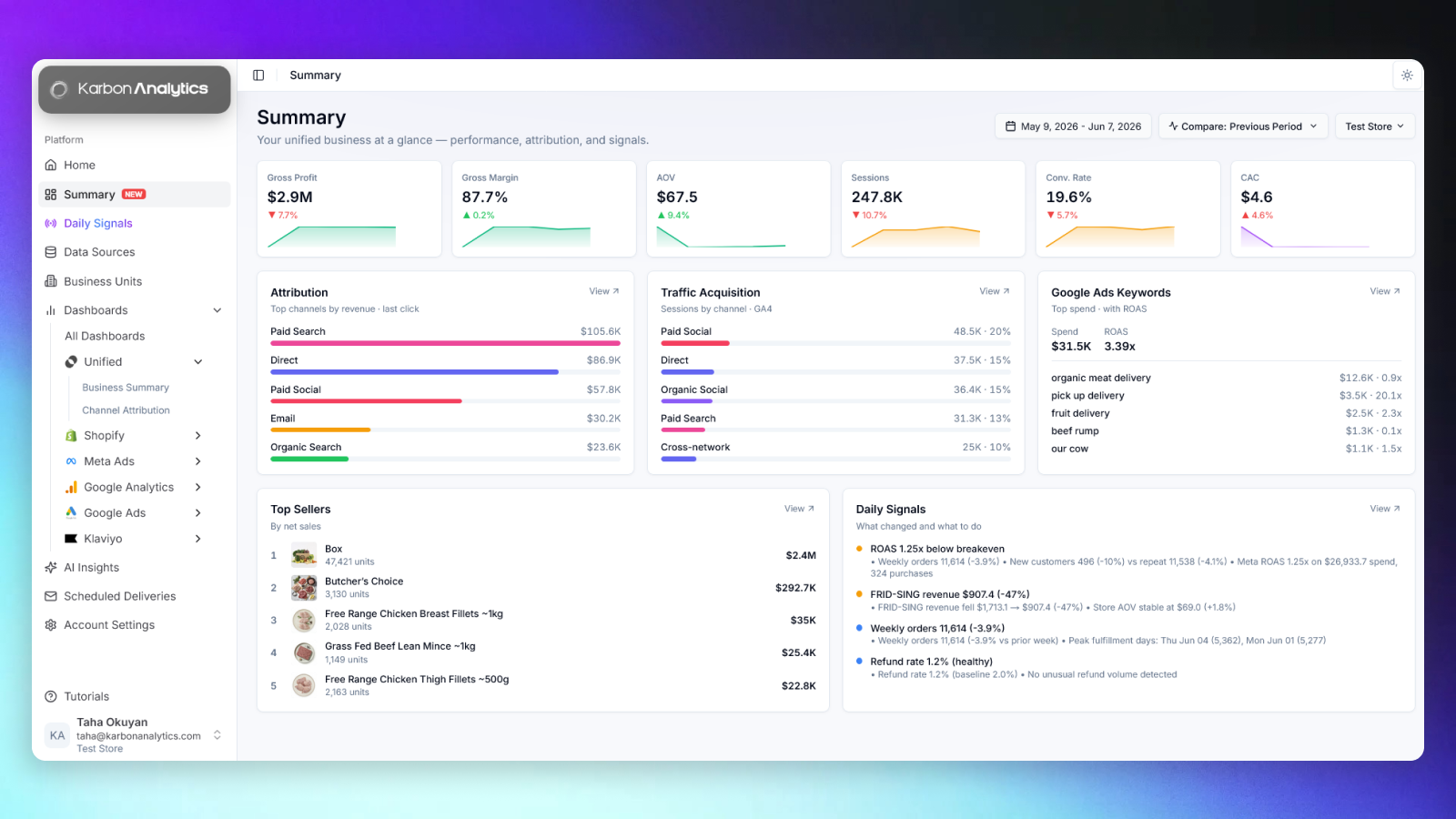
This is the problem Karbon Analytics is built to solve: giving Shopify and DTC teams real visibility, with their sources unified into one reconciled model and pre-built dashboards ready the moment they connect, before they spend months and six figures building an internal data stack. If you are somewhere in those three situations right now, start a free trial and see your unified business at a glance.
Visibility without the six-month build
Karbon Analytics unifies Shopify, Meta, Google, GA4, and Klaviyo into one reconciled model, with pre-built dashboards and daily signals ready the moment your sources connect. No data team, no ETL, no spreadsheets.
Keep reading