How to Track ChatGPT and AI Traffic in Shopify (2026)
TL;DR
- AI assistants (ChatGPT, Perplexity, Gemini, Copilot, Claude) are now a real, fast-growing traffic source for Shopify stores, and shoppers arriving from them tend to convert well because they show up with high intent.
- Most AI traffic is invisible by default: it lands in your reports as "direct" or buried in "referral", because LLMs often strip the referrer or send people who type your URL after a recommendation.
- You can surface a lot of it by building a custom channel or segment in GA4 that matches AI referrer domains like chatgpt.com, perplexity.ai, and gemini.google.com.
- Shopify Spring 2026 is pushing brands into AI channels (Catalog, agentic checkout), so this traffic only grows, and so does the gap between what happens and what your dashboard shows.
- Tracking it reliably means reconciling sessions and orders across sources in one model, not eyeballing one referrer line. That is the problem Karbon Analytics solves.
Open your analytics and you will probably not see a line called "ChatGPT." But if you sell on Shopify in 2026, AI assistants are almost certainly sending you traffic already, and a surprising share of it is buying. The problem is not that the traffic is not there. The problem is that your reports were built for a web that no longer exists, and most of this traffic is hiding in plain sight.
This guide shows you where AI traffic actually lands, how to surface it in GA4 and Shopify, why every method undercounts, and how to think about the buyers it brings.
Why This Matters Now
Two things changed fast. First, shoppers started asking AI assistants what to buy, not just search engines. AI-referred traffic to retail sites has grown by triple digits year over year, and people who arrive from an AI recommendation convert better than paid social, because they show up already researched and close to a decision.
Second, Shopify is actively pushing brands into these channels. The Spring 2026 edition introduced Shopify Catalog, automatic product optimization for AI channels, and agentic checkout on surfaces like Copilot and Meta through the Universal Commerce Protocol. Shopify is telling merchants their products will sell inside AI chats. That makes one question urgent for every DTC Shopify brand: is any of this actually working, and how would I even know?
Where AI Traffic Shows Up
When an AI assistant sends someone to your store, that visit can arrive in a few different ways, and only some of them are obvious.
As a referral from an AI domain
The cleanest case. The session carries a referrer like chatgpt.com (formerly chat.openai.com), perplexity.ai, gemini.google.com, copilot.microsoft.com, or claude.ai. These land in your "Referral" bucket, scattered across several rows you would never think to add up.
As direct or unattributed
Very common. The assistant names your brand, the shopper opens a new tab and types your URL or searches your brand name. That visit looks like "Direct" or "Organic / branded search," with no trace of the AI that actually drove it.
Off your site entirely
The newest case, and the hardest. With agentic checkout (Shopify Catalog, Shop Pay via Copilot or Meta), the purchase can complete inside the AI surface without a normal session on your storefront at all. The order shows up; the visit never does.
How to Track It in GA4
The fastest way to stop guessing is to group every AI source into one bucket you can actually read. In GA4 you can do this with a custom channel group or, more simply, an exploration filtered to AI referrers.
Create a segment or channel where the session source or page referrer matches a pattern like this:
chatgpt|openai|perplexity|gemini\.google|copilot|bing/chat|claude\.ai|edgeservices
That single regular expression collapses the scattered AI referrals into one line you can trend over time, compare against other channels, and watch for conversion. Name it "AI Assistants" and add it to your acquisition reports so it sits next to Paid Social, Email, and Organic instead of being buried.
One caveat: this only catches visits that arrive with an AI referrer. The direct and off-site cases below still escape it, so treat the GA4 number as a floor, not the full picture.
How to See It in Shopify
Shopify's own analytics shows sessions by referrer, so you can filter or search your traffic for the same AI domains and see sessions and the orders attributed to them. After the Spring 2026 updates you can also view marketing data alongside sales and set metric targets, which helps you watch the trend inside the admin.
The limitation is the same one that affects every metric in Shopify: it sees Shopify's own sessions and orders, but it does not reconcile them against what GA4, Meta, or Google report, and it cannot easily separate an AI-driven branded search from ordinary organic. You get a useful signal, not a complete, cross-checked answer.
Why the Numbers Undercount
Whatever method you use, assume the real AI contribution is larger than what you measure. Three reasons:
Referrers get stripped. Many AI apps, in-app browsers, and privacy settings drop the referrer, so the visit arrives as direct with no source at all.
The assist is invisible. When AI recommends you and the shopper comes back later through search or by typing your URL, the AI gets zero credit even though it created the demand. This is the same attribution gap that makes Facebook and Shopify numbers never match, now applied to AI.
Agentic sales happen off-site. A purchase completed inside an AI surface may never generate a storefront session, so it can land as an order with no matching traffic, throwing off your conversion math.
How to Read AI Traffic
Once you can see it, read it differently from your other channels. AI traffic is usually low in volume today but high in intent: these shoppers were handed your store as an answer, not shown an interruptive ad. Expect a conversion rate closer to branded search and email than to cold paid social.
So the right move is not to judge AI traffic by volume and dismiss it. It is to watch the trend, protect the things that make AI assistants recommend you (clean product data, reviews, clear specs), and treat early AI revenue as a leading indicator of where discovery is heading. Brands that learn to measure it now will be the ones who can defend it when it is 10 percent of revenue instead of 1.
How to Track It Reliably
The honest answer is that no single tool sees all of this cleanly, because the data is split across GA4, Shopify, and the AI surfaces themselves, and each counts a different slice. Eyeballing one referrer row in one dashboard will always undercount and never reconcile.
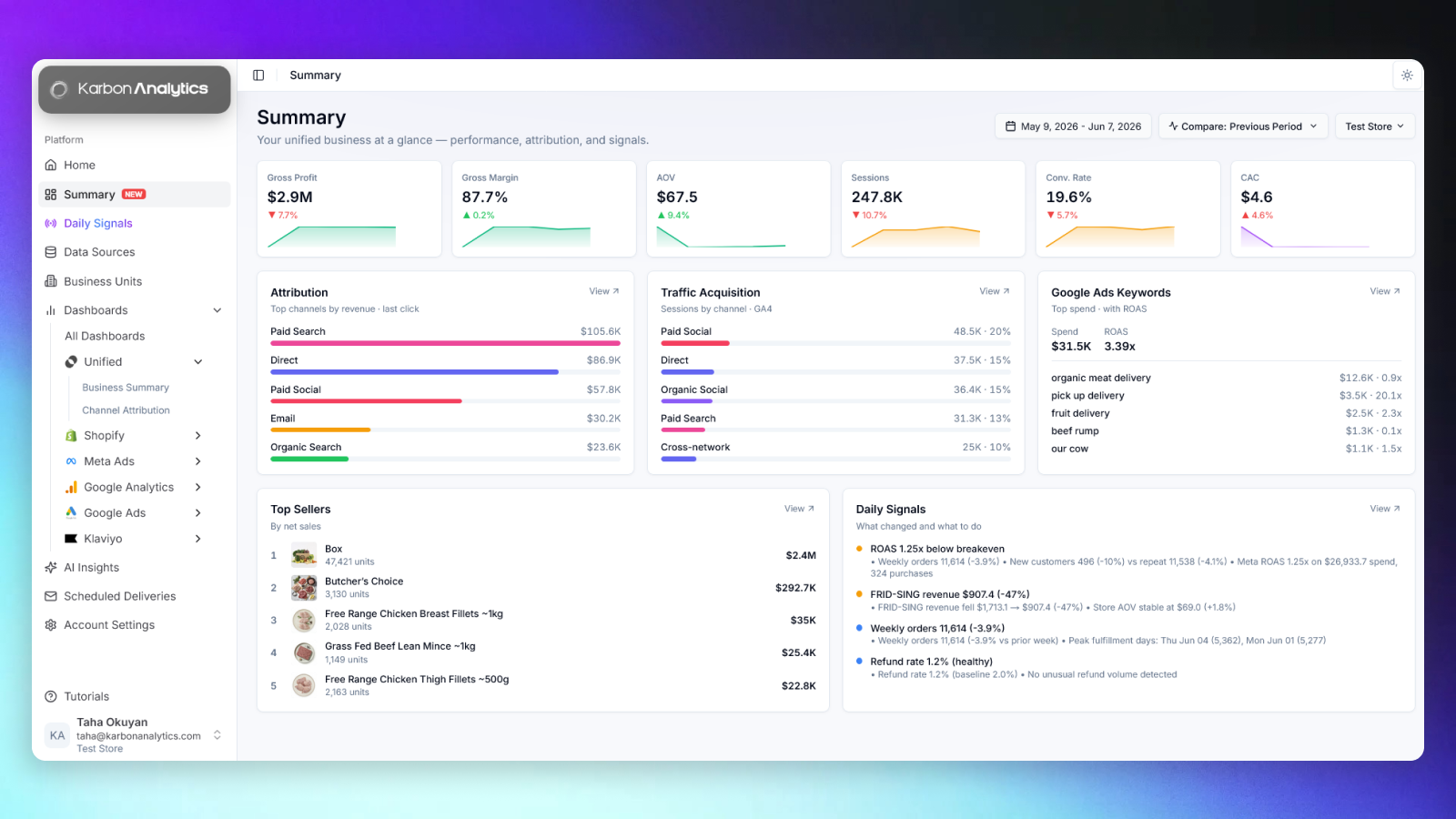
This is where a unified data model earns its place. When sessions, referrers, and orders read from one reconciled source, AI traffic becomes a channel you can actually manage: sessions, conversion rate, and revenue from AI assistants sitting side by side with Meta, Google, and email, on the same definitions, over the same window. The pre-built Shopify dashboards most operators rely on treat it as a first-class source rather than a mystery line.
Karbon Analytics unifies Shopify, GA4, Meta, Google, and Klaviyo into one model, so you can see what AI assistants are really driving, next to every other channel, reconciled and updated daily. If you would rather know what ChatGPT is doing for your store than guess from a scattered referral report, start a free trial and connect your sources; your channel view is live the moment they sync.
See what AI assistants are really driving
Connect Shopify and your ad accounts. Karbon Analytics surfaces AI and ChatGPT traffic as a real channel, reconciled against orders and shown next to Meta, Google, and email. No scattered referral rows, no guessing.
Keep reading